APPLE //C · 6502 / 65C02 · IN YOUR BROWSER

ASM
STUDIO

Write assembly. Press ▶. Get a disk.

A small IDE for the Apple //c that we built from logic gates in our simulator. Your project stays in a folder on your computer. Every build is a fresh DOS 3.3 disk, ready to boot.

hello · main.s
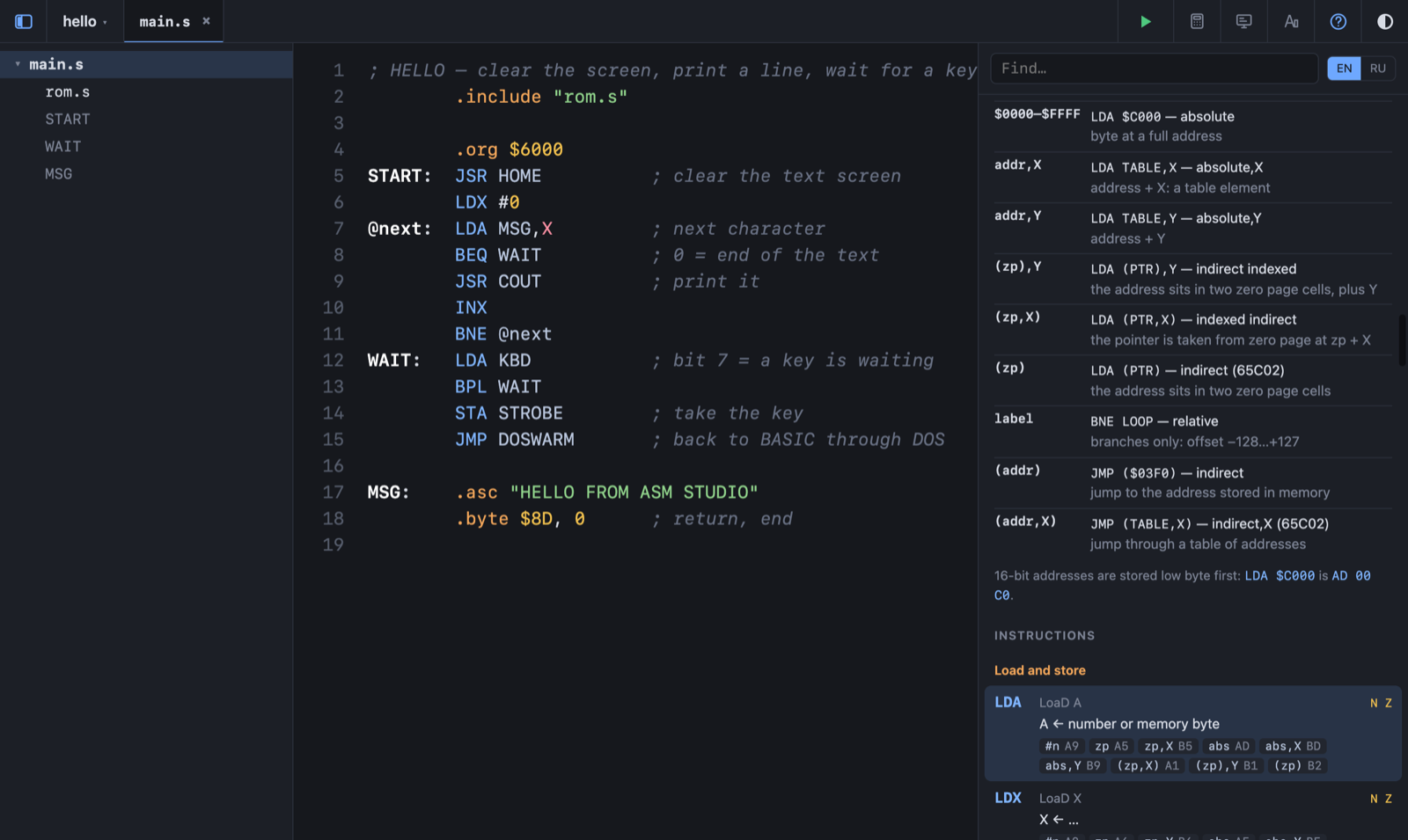
ASM Studio: the editor with a small program, the project sidebar on the left and the instruction help on the right, LDA highlighted under the cursor

How it works

Folder in. Disk out.

ASM Studio is not an emulator. It writes the disk — the computer that runs it is the Apple //c on cs.khanin.info, built from logic gates, or any other Apple II.

Open a folder

Pick an empty folder — ASM Studio starts a project there with main.s. Every .s file in the folder is part of the project; it saves as you type.

Write and press ▶

Errors show on their line while you type. ▶ or ⌘B builds the disk into the folder; click the result to download it.

Boot it on the //c

  1. Open cs.khanin.info
  2. Click Demo, choose Apple //c — BLACKOUT
  3. Load your .dsk into the drive
  4. Switch the power on

While you type

The mistake is on its line.

  • The whole project is assembled in the background as you write.
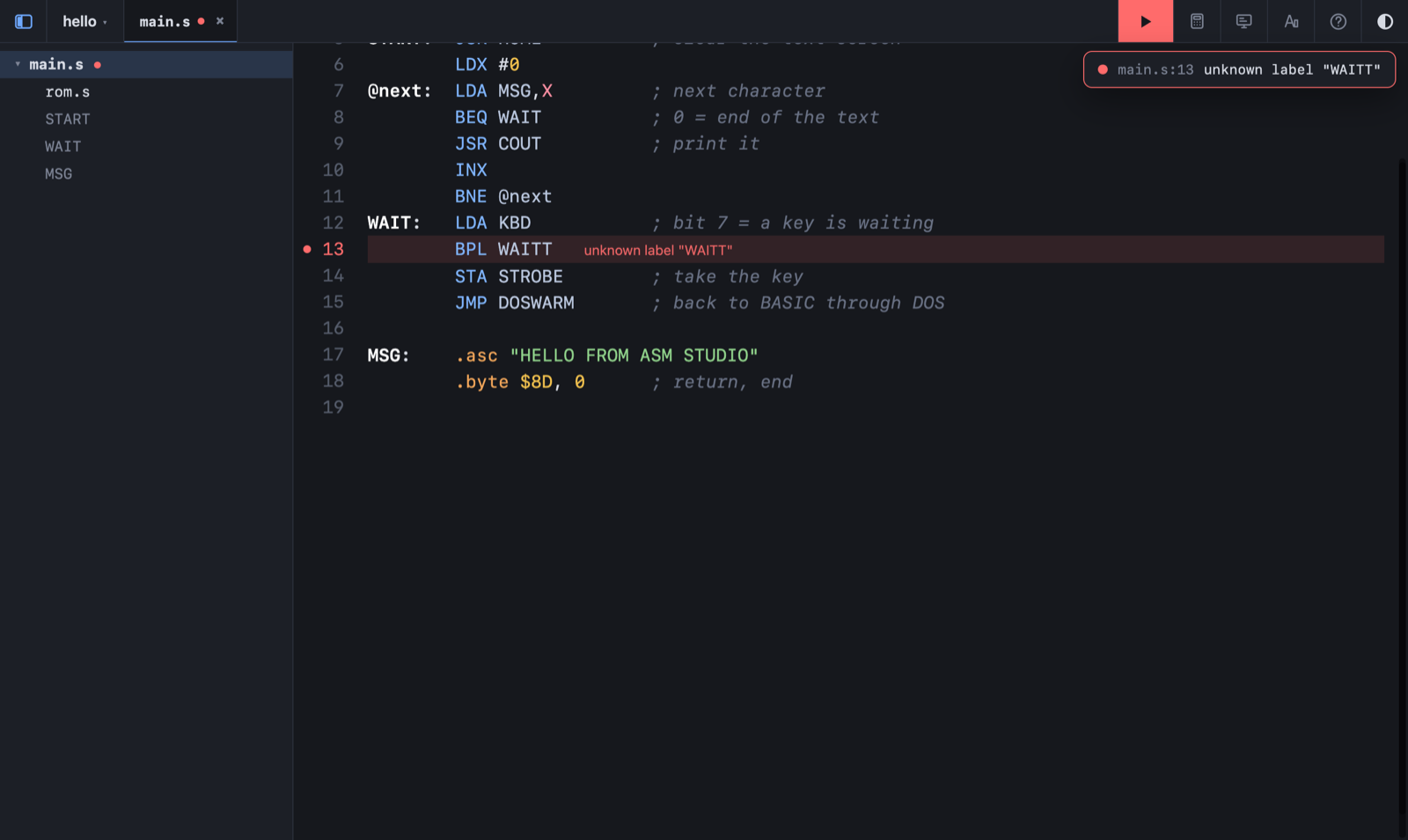
  • A red dot on the file, the line and the message — unknown label "WAITT" — right where it happened.
  • Press ▶ and the note under the button takes you to it.
an error
A misspelled label: the line is marked red with the message unknown label WAITT, and the build note shows the same

On demand

The things you look up every ten minutes.

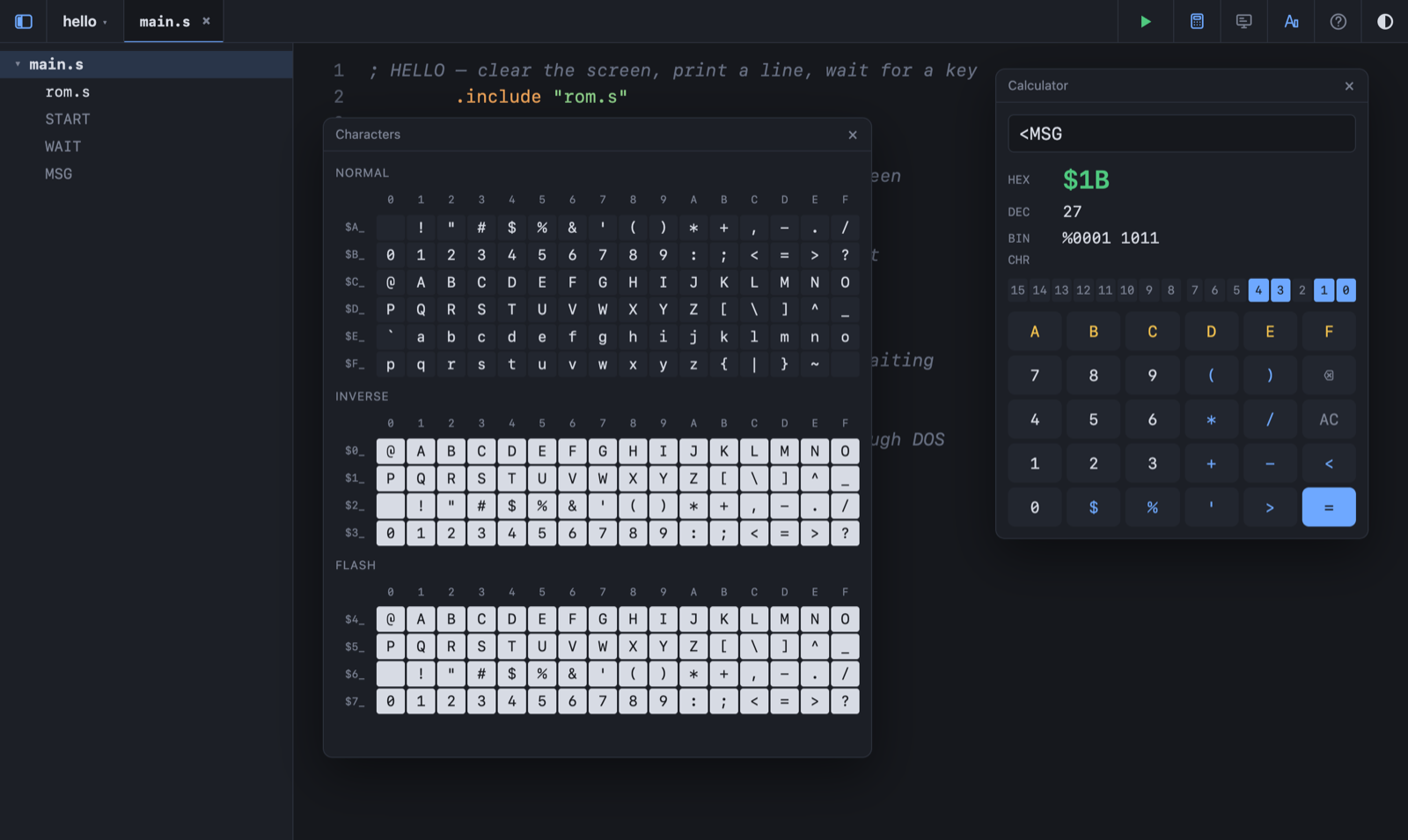
  • Calculator — hex, decimal, binary and the character at once; click a bit to flip it; knows your labels: <MSG is the low byte of MSG.
  • Characters — the //c text set: normal, inverse, flashing. Click to copy the code.
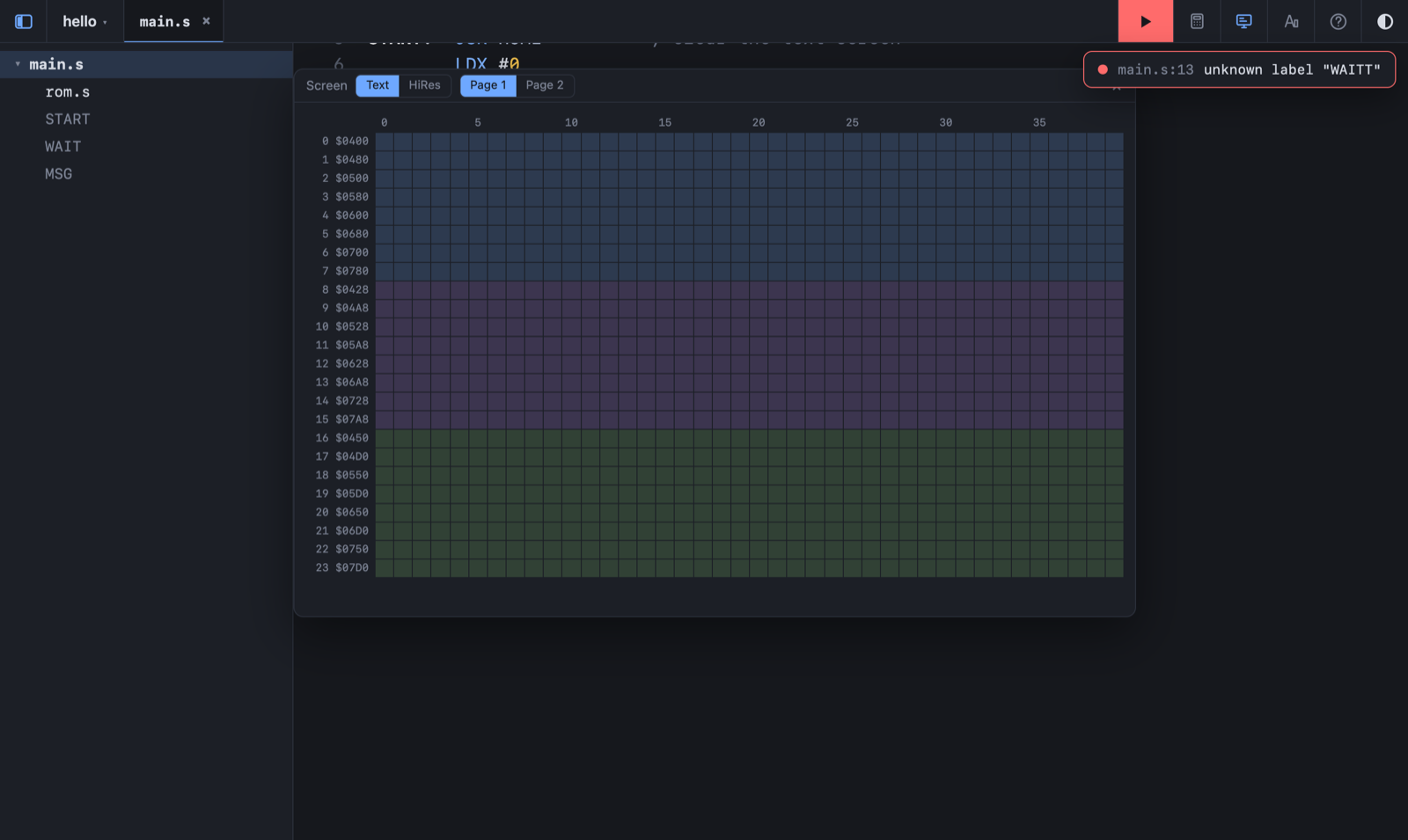
  • Screen — the address of any text cell or hi-res byte, both pages.
  • Each opens over the editor and closes again. Nothing stays on screen that you did not ask for.
calculator · characters
The calculator showing the low byte of MSG as $1B in hex, decimal and binary, next to the table of //c characters

Help, in a side panel

Every instruction. Every opcode.

  • All 56 instructions of the 6502 and the extra eight of the 65C02 in the //c.
  • Each with its flags and every addressing mode with its opcode — straight from the assembler's own table.
  • Put the cursor on an instruction — its card lights up.
  • Plus the assembler itself: labels, @local labels, .org, .byte, .asc, .include — and common tricks. English and Russian.
screen map
The screen map: 40 by 24 text cells with the address of each row

The disk

No linker. No settings.

The disk is built from scratch on every ▶ — 140K takes no time. What goes on it follows from the files themselves:

program
a .s file with .org that no other file includes. It becomes a binary file named after the file: main.s → MAIN.
.include
pastes another file in place — constants, tables, routines shared by programs.
HELLO
the boot program: BRUN MAIN by default, or your own disk/HELLO.bas.
disk/
anything in this subfolder goes onto the disk as it is: *.bas as Applesoft, the rest as binary.

A first program

; HELLO — clear the screen, print a line, wait for a key
        .include "rom.s"

        .org $6000
START:  JSR HOME          ; clear the text screen
        LDX #0
@next:  LDA MSG,X         ; next character
        BEQ WAIT          ; 0 = end of the text
        JSR COUT          ; print it
        INX
        BNE @next
WAIT:   LDA KBD           ; bit 7 = a key is waiting
        BPL WAIT
        STA STROBE        ; take the key
        JMP DOSWARM       ; back to BASIC through DOS

MSG:     .asc "HELLO FROM ASM STUDIO"
        .byte $8D, 0      ; return, end

Put both files in a folder, open it in ASM Studio, press ▶ — and boot the disk.
Made with it

A whole game, line by line.

BLACKOUT — an open-world game for the Apple //c, 11,800 lines of 6502 assembly — was written in this assembler. Play it, then read how it works inside.

BLACKOUT

Spain after the grid went down: 18,432 screens, trade, fights, fog of war. One 5¼″ disk.

PLAY ▸
THE CODE, EXPLAINED

Chapter by chapter: memory, a world from a seed, hi-res graphics, sprites, NPCs, trade — every trick drawn bit by bit. In English and Russian.

READ ▸

Needs Chrome, Edge or Opera on a desktop — ASM Studio keeps your project in a real folder on your computer, and only these browsers can open one. Nothing is uploaded anywhere.

ASM Studio · 6502 assembly for the Apple //c · cs.khanin.info · 2026